
Free AI Resume Builder vs Paid: What You Actually Get for Free (2026)
Almost every «free» AI resume builder lets you build and preview a resume for nothing — a free AI resume builder covers layout, templates, and basic AI phrasing without a card on file. The catch usually shows up the moment you hit download.
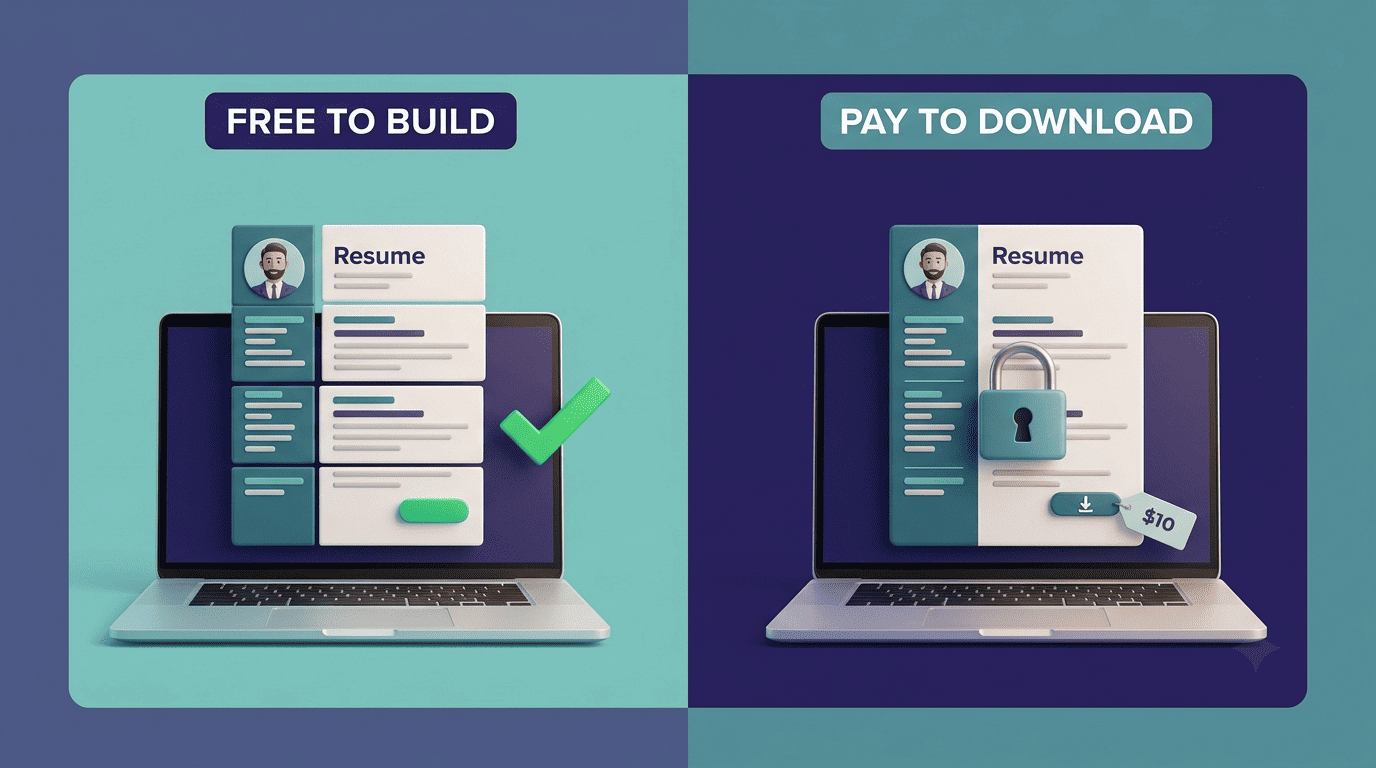
The line between free and paid is rarely «no AI vs. AI.» It’s usually about who owns the download button, whether the resume actually clears an applicant tracking system, and how good the AI writing really is once you look past the first canned bullet point.
What «free» actually covers in an AI resume builder
Building and previewing a resume is free almost everywhere. You can pick a template, drag sections around, and get a basic AI-generated bullet or two before anyone asks for payment details. A handful of tools go further and stay genuinely free all the way through export: Indeed Resume Builder, JobScoutly, OpenResume, Reactive Resume, and Resume.com by Indeed don’t lock the finished file behind a paywall at all.
The parts nobody charges for
Template selection, a drag-and-drop editor, and a first pass of AI suggestions are free at nearly every AI resume builder on the market. JobScoutly pairs AI optimization with ATS-formatted templates, unlimited free PDF exports, and a job board of roughly 50,000 listings — all without a credit card. OpenResume and Reactive Resume are open-source, so there’s no billing layer to hit in the first place. Resume.com, Indeed’s dedicated resume tool, works the same way: free build, free download, no trial to remember to cancel.
- Template browsing and swapping
- Drag-and-drop section editing
- A first round of AI-suggested bullet phrasing
- Basic spell-check and formatting cleanup
- Preview in-browser before committing to anything
Free downloads that come with strings
Even where the download itself is free, it often arrives with a catch. Novoresume’s free tier caps you at one page, stamps a watermark on the file, and allows a single download before it asks you to upgrade. FlowCV gives your very first resume away free forever, but a second resume starts at roughly $4–5 a month. Canva’s resume templates are free to export, but the resulting PDF is frequently unreadable to an applicant tracking system because of the graphic layout underneath. Kickresume and Teal are the exceptions worth knowing: both offer free, unlimited downloads on their base plans, which is rare in this category.
Where the paywall actually hides
The paywall almost never sits at the «build» step — it sits at «download.» You can spend twenty minutes writing a resume in a free AI resume builder tool and still get stopped cold when you try to save the finished file in a format an employer can actually open.
The download paywall
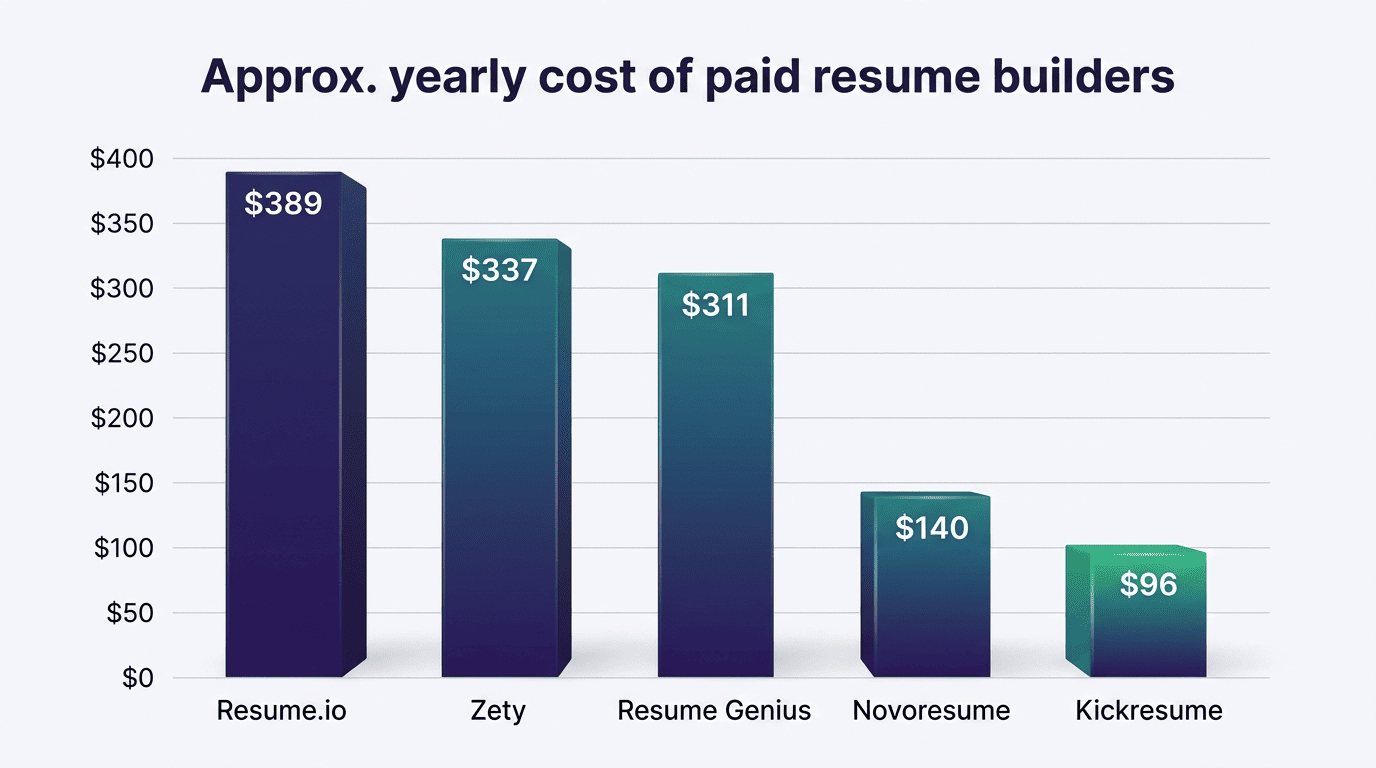
Zety is the clearest example: the build is free, but the free export is plain .txt only. A formatted PDF or Word file requires a Pro plan, which starts with a $1.95–$2.95 trial and then renews at $25.95 every four weeks, working out to roughly $337 a year. Resume.io follows a similar pattern — a $2.95 trial that renews at $29.95 every four weeks, close to $389 annually. Resume Genius and MyPerfectResume both use the same $2.95-trial structure, renewing at $23.95 every four weeks. In every one of these cases, the free plan is real — you just can’t leave with a usable file.
| Tool | Free download format | Trial price | Renewal | Approx. annual cost |
|---|---|---|---|---|
| Zety | .txt only | $1.95–2.95 | $25.95 / 4 weeks | ~$337 |
| Resume.io | None (locked) | $2.95 | $29.95 / 4 weeks | ~$389 |
| Resume Genius | None (locked) | $2.95 | $23.95 / 4 weeks | ~$311 |
| MyPerfectResume | None (locked) | $2.95 | $23.95 / 4 weeks | ~$311 |
The 4-week billing trick
Charging «every 4 weeks» instead of «monthly» is a small wording choice with a real financial effect: it produces 13 charges a year instead of 12. Combined with a $1.95–$2.95 trial that auto-renews into the full price if you don’t cancel, it’s an easy pattern to miss when you’re focused on finishing a resume, not reading billing terms. The trial itself is legal and disclosed — it’s just written in a way most people skim past.
The U.S. Federal Trade Commission has repeatedly targeted exactly this kind of structure in subscription businesses. Its 2024 amended Negative Option Rule defined the pattern this way, before a federal appeals court vacated the rule on procedural grounds in 2025:
A negative option feature is a provision of a contract under which the consumer’s silence or failure to take affirmative action to reject a good or service or to cancel the agreement is interpreted by the negative option seller as acceptance or continuing acceptance of the offer.
Federal Trade Commission, Negative Option Rule (2024, vacated 2025)
That specific rule no longer stands, but the underlying legal exposure hasn’t gone away: trial-to-paid billing like Zety’s or Resume.io’s still falls under the Restore Online Shoppers’ Confidence Act (ROSCA), which requires clear disclosure of billing terms and a simple way to cancel, and remains fully enforceable regardless of the vacated rule.
The three levels of «AI» — and which ones are free
Not every «AI resume builder» label means the same thing, and free tiers tend to cluster at the bottom of a rough three-level scale.
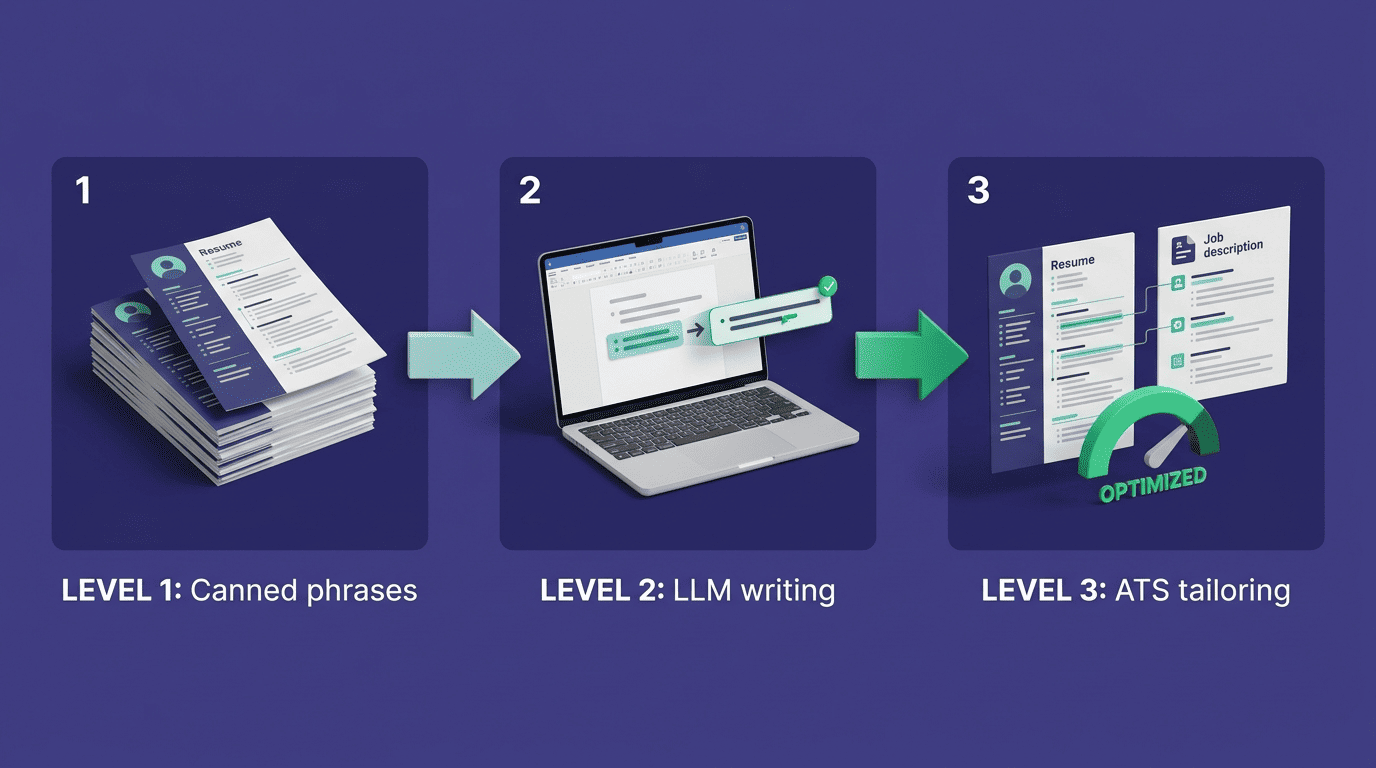
Level 1: canned phrases dressed up as AI. A large share of free tools that market themselves as AI simply pull from a library of pre-written bullet phrases. The interface makes it look like the system generated something just for you, but two different users in the same job title will often see identical wording. This is the level most free plans stop at.
Level 2: real LLM writing tied to your own experience. This is genuine generative output — a large language model turning your actual job history into original bullets. Kickresume runs on a fine-tuned version of GPT-4 for this step, and general tools like ChatGPT can be used the same way manually. Free access to this level is usually capped at a handful of credits rather than unlimited use.
Level 3: job-description tailoring and ATS scoring. The most advanced tier reads a specific job posting and rewrites or scores your resume against it. Rezi Score, for example, evaluates a resume on a 1–100 scale across 23 ATS-related criteria. Teal and Enhancv offer comparable tailoring features. This level is almost always paid, because it’s the feature doing the most work to get a resume past a filter and in front of a human.
Level 2 and 3: real LLM writing and ATS optimization
The practical difference between Level 2 and Level 3 comes down to whether the AI is writing in a vacuum or writing against a target. Level 2 tools improve your existing bullets — sharper verbs, tighter phrasing, quantified impact. Level 3 tools go further and actively match your resume’s language to a specific job description, then score how well an ATS is likely to parse it. If a free plan offers any Level 3 access at all, it’s typically metered — a few free scans or one tailored version, then a paywall.

A Level 3 tailoring pass typically checks:
- Keyword overlap between your resume and the job posting
- Section headers and file format an ATS can actually parse
- Bullet phrasing against active-verb and quantification standards
- An overall score or grade you can track as you edit
Free vs. paid: side-by-side on price
Pricing structures vary more than the feature lists suggest, and the gap between «cheapest paid plan» and «most expensive paid plan» is wider than most people expect walking in.
The price table
| Tool | What’s free | Paid price | Auto-renews? |
|---|---|---|---|
| Zety | Build + .txt export | $25.95 / 4 weeks | Yes |
| Resume.io | Build + preview only | $29.95 / 4 weeks | Yes |
| Resume Genius | Build + preview only | $23.95 / 4 weeks | Yes |
| Novoresume | 1 page, watermark, 1 download | $21.99/mo or $139.99/yr | No |
| Kickresume | Unlimited free downloads | $24/mo or $96/yr annual | Yes |
| Teal | Unlimited free resumes + PDF | $13/wk or $29/mo | Yes |
| Rezi | Build + limited AI | $29/mo or $149 lifetime | Optional (lifetime available) |
| Enhancv | Build + preview only | $19.99–24.99/mo | Yes |
| Canva Pro | Free templates (ATS risk) | $15/mo | Yes |
Zety, Resume.io, Resume Genius, and MyPerfectResume all follow the same freemium-with-a-download-paywall shape. Kickresume and Teal sit at the generous end, giving away unlimited downloads on their free tier. Rezi is the outlier with a $149 lifetime option that avoids a recurring charge entirely, and Novoresume’s paid plans, unlike most on this list, don’t auto-renew by default.
What paying actually buys you
Paying for an AI resume builder removes the watermark, unlocks a properly formatted PDF or Word export, adds more template choices, and — the part that matters most — opens up Level 3 AI: job-description tailoring and ATS scoring. Over 75% of employers now filter incoming applications through an applicant tracking system before a human ever opens the file, so ATS optimization isn’t a cosmetic extra. Scale also shows in the numbers behind these tools: Enhancv reports having generated more than 10 million resumes since 2014, and Resume Genius carries over 43,000 reviews on Trustpilot.
Features worth the money
The features that justify a subscription cluster around three things: getting past the ATS filter, matching a specific job posting, and removing friction from applying to many roles quickly. A watermark-free, unlimited-export plan matters if you’re applying widely. JD tailoring and ATS scoring matter more than template variety, because a beautifully designed resume that an ATS can’t parse never reaches a recruiter’s inbox.
A paid plan typically unlocks:
- Watermark removal on downloaded files
- Unlimited PDF and Word exports
- Job-description tailoring for individual applications
- ATS scoring with specific fix suggestions
- A larger template and cover-letter library
When free is genuinely enough
If you need one clean, ATS-compatible resume and you’re comfortable writing your own bullet points, a free tool is usually sufficient — Indeed’s builder, JobScoutly, or Kickresume’s free tier will get you a usable file with no card required. Paying starts to make sense once you’re actively job hunting and need to retailor a resume for dozens of postings in a short window, where Level 3 tailoring saves real time.
Free is usually enough when:
- You need a single, well-formatted resume for a handful of applications
- You’re comfortable writing your own bullet points
- You’re not applying to enough roles to need per-job tailoring
- Your chosen tool doesn’t lock the download behind a subscription
How to stay free without falling into a trap
Staying on the free side of an AI resume builder tool is possible for most job seekers — it just takes checking a few things before you commit to any single platform.
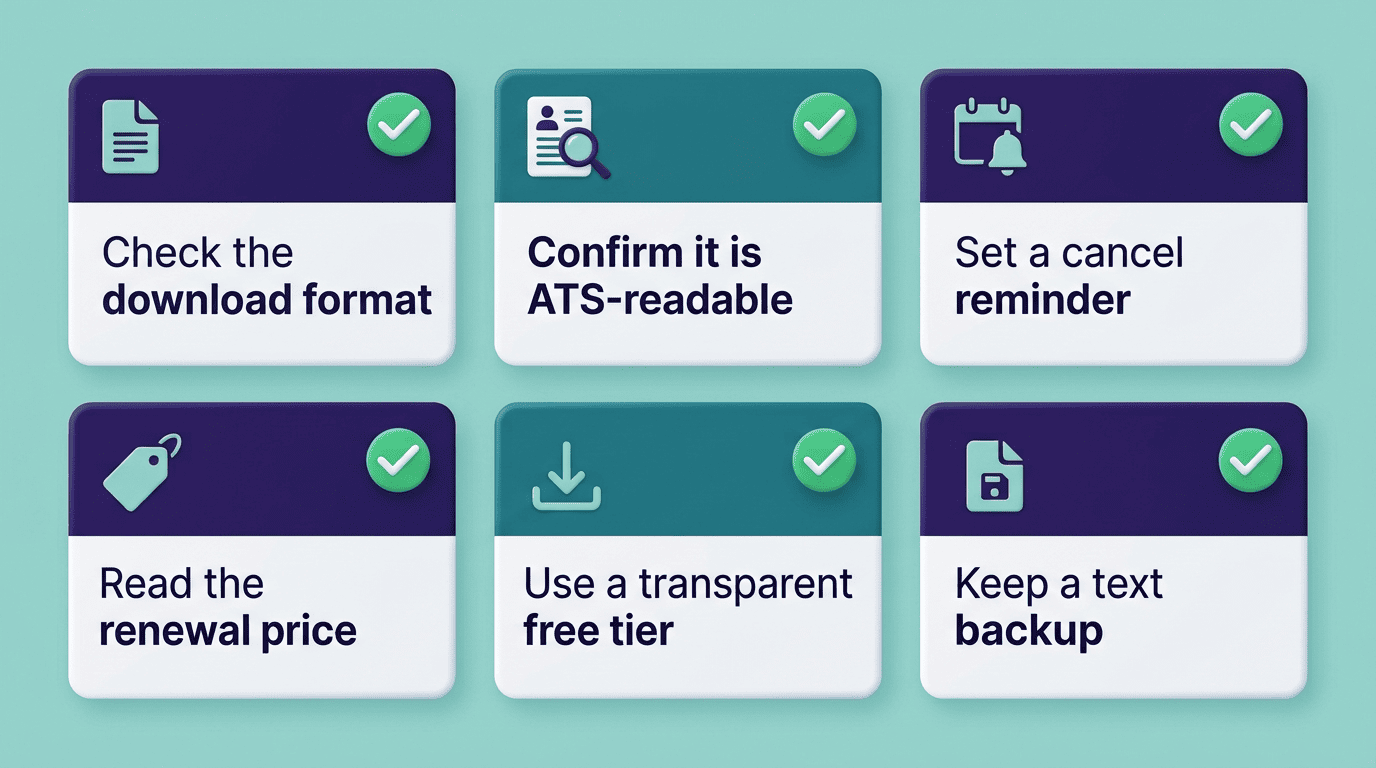
A quick checklist before you commit
- Check what format the free download actually is — a plain .txt file isn’t something you can submit to most employers.
- Confirm the resume is ATS-readable before you rely on it; Canva templates are a frequent failure point here.
- If you start a paid trial, set a reminder to cancel before the renewal date — four-week billing cycles move faster than monthly ones.
- Read the renewal price, not just the trial price, before entering payment details.
- For genuine AI writing without a download paywall, an AI resume builder with a transparent free tier is a safer starting point than a «free to build, pay to download» tool.
- Keep a saved copy of the raw text version as a backup, independent of any single platform’s export limits.
Applicant tracking systems are widely documented on their own — the concept predates the current wave of AI resume tools by decades, as the Wikipedia entry on applicant tracking systems outlines. Tools like Indeed Resume Builder remain a reliable free baseline precisely because the download step was never gated in the first place.